Logging Controls
An important aspect of DevOps compliance is meeting the expectations of risk controls in your CI pipeline. Examples include:
Running unit tests/integration tests
Performing security scanning
Code coverage
etc
As you execute these steps, you can use the following commands to log the evidence that these controls have been performed.
Control Pull Request command to control and send evidence that a pull request is approved for this commit
Log Test command to send evidence that a test has been executed
Log Evidence command to send evidence that a generic control has been performed
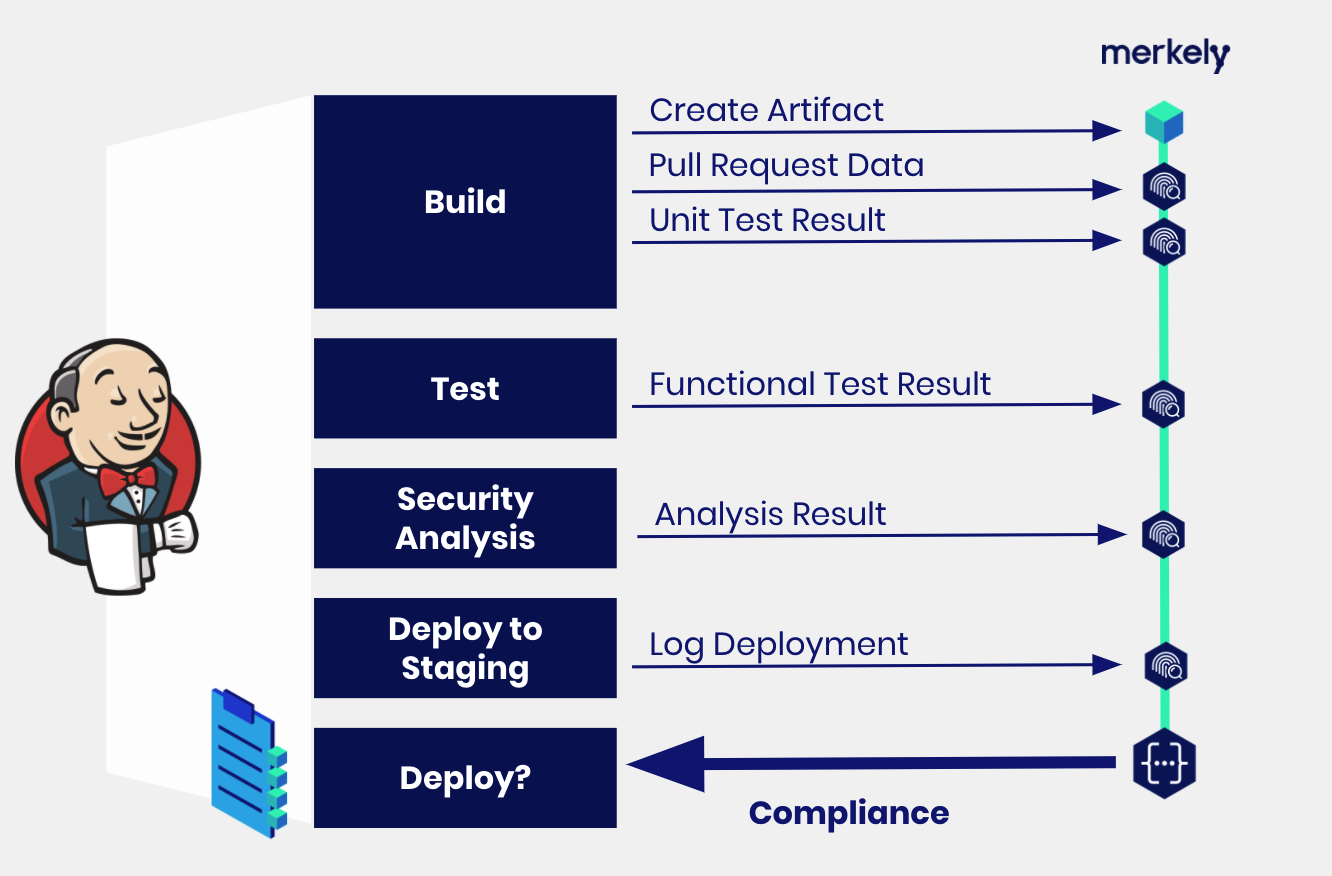
Here is an example of how to use Log Evidence from your CI pipeline:
docker run \
    --env MERKELY_COMMAND=log_evidence \
    --env MERKELY_FINGERPRINT=docker://acme/road-runner:2.3 \
    --env MERKELY_EVIDENCE_TYPE="${MERKELY_EVIDENCE_TYPE}" \
    --env MERKELY_IS_COMPLIANT="${MERKELY_IS_COMPLIANT}" \
    --env MERKELY_DESCRIPTION="${MERKELY_DESCRIPTION}" \
    --env MERKELY_CI_BUILD_URL="${MERKELY_CI_BUILD_URL}" \
    --env MERKELY_USER_DATA="${MERKELY_USER_DATA}" \
    --env MERKELY_OWNER="${MERKELY_OWNER}" \
    --env MERKELY_PIPELINE="${MERKELY_PIPELINE}" \
    --env MERKELY_API_TOKEN="${MERKELY_API_TOKEN}" \
    --env MERKELY_DRY_RUN="${MERKELY_DRY_RUN}" \
    --rm \
    --volume /var/run/docker.sock:/var/run/docker.sock \
    merkely/change:latest